
Clocking in/out TC25 Scanner
This guide will show you how to clock in and out of your TC25 scanner
Firstly log into your TC35 scanner.
Once you are logged in you will see the "Main Menu" section. Select "clocking".
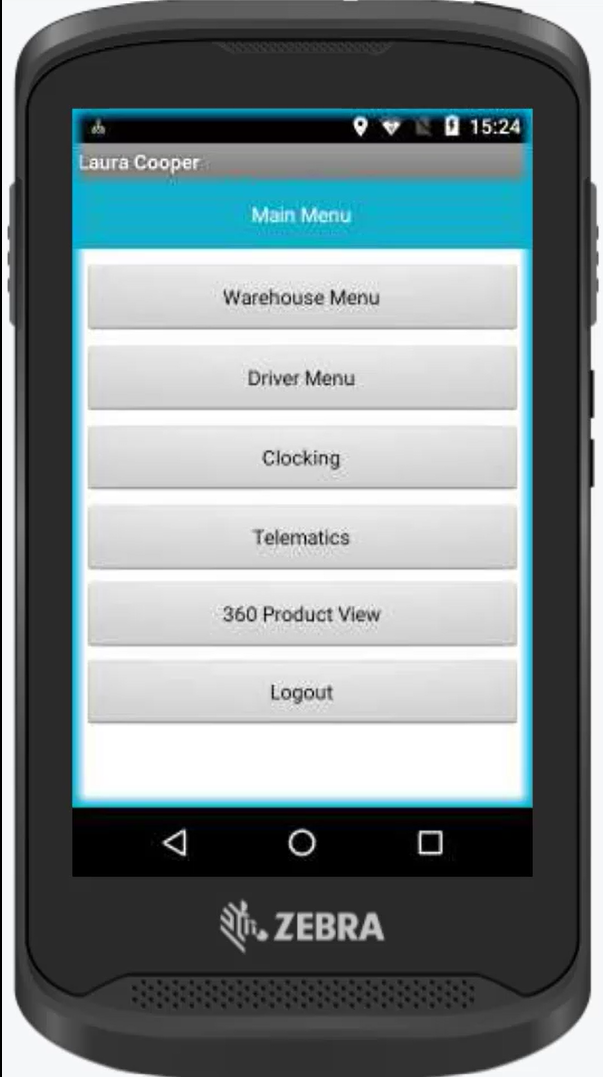
Then select your "state" firstly you will need to clock into the scanner. This means you are starting your working day.
Once you have selected your state click "set state".
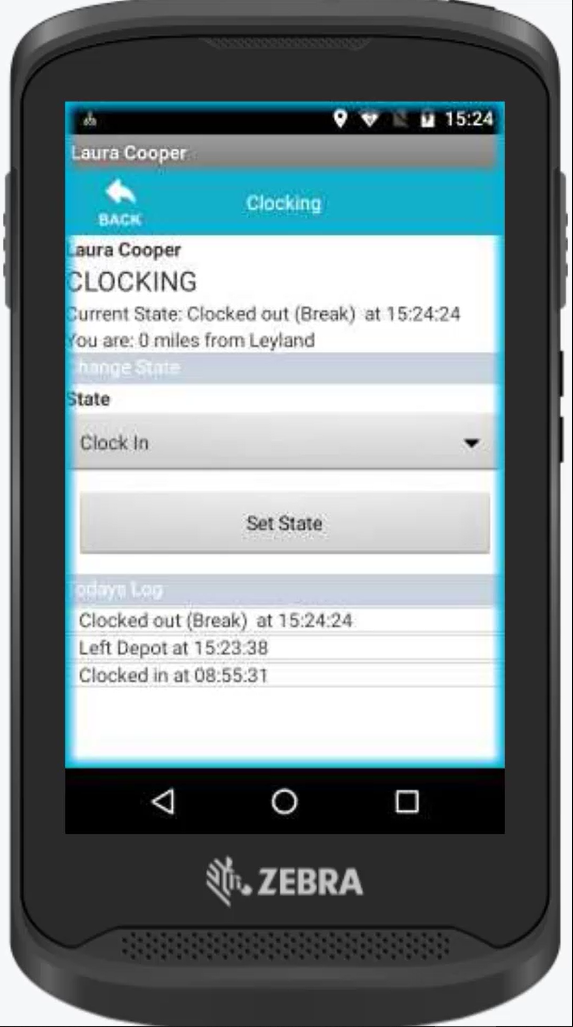
Once the van is loaded and you are ready to start completion of the days work, you will need to clock in again but setting your state to "Left Depot".
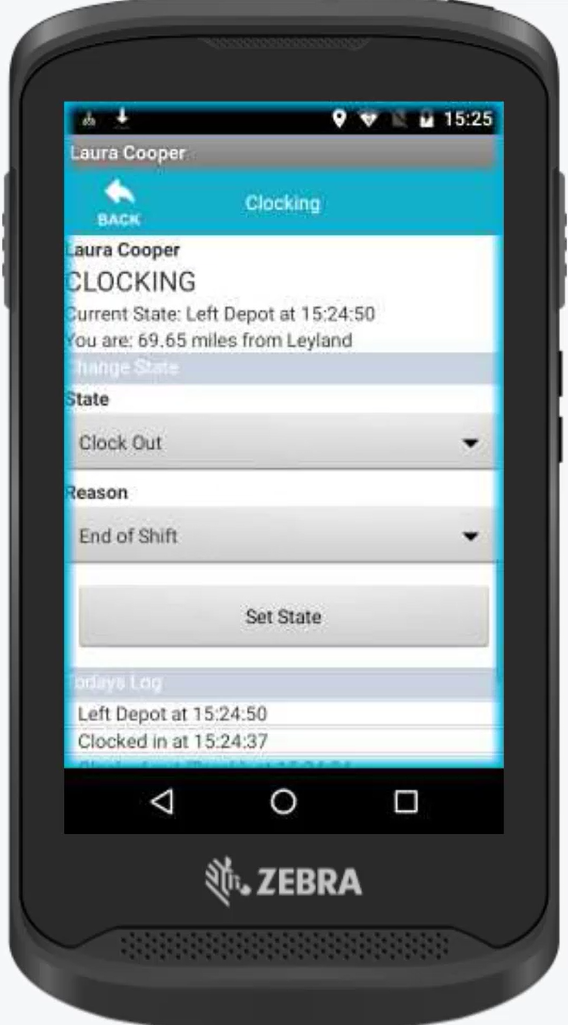
Once your working day is completed, you will finally need to clock out. To do this follow the same above instructions but set your state to "clock out". You will also need to select a reason to as to why you are clocking out. This can either be end of shift or taking a break.
Updated over 4 years ago