
Searching for a service user via contact number
You can now search the Service User using a phone number.
Click on client control and then type the number in the ‘Contact Number’ box and Search.
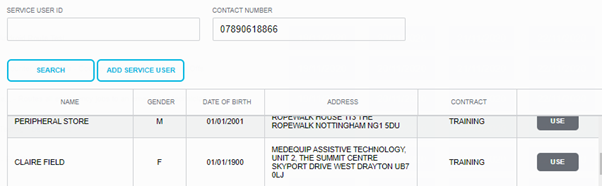
This will bring back all the rows with the phone number in the service user’s profile
Top tip
This is useful in case of a message recorded where you only know the callers number, but no more details available on the message or if someone calls back from a missed call and they are not sure what the call is about.
Updated over 5 years ago