
Repair Reason code workflow
Repair - Reason code workflow
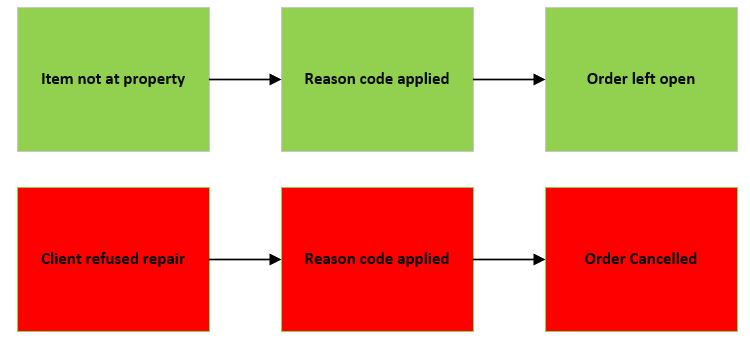
Colour codes
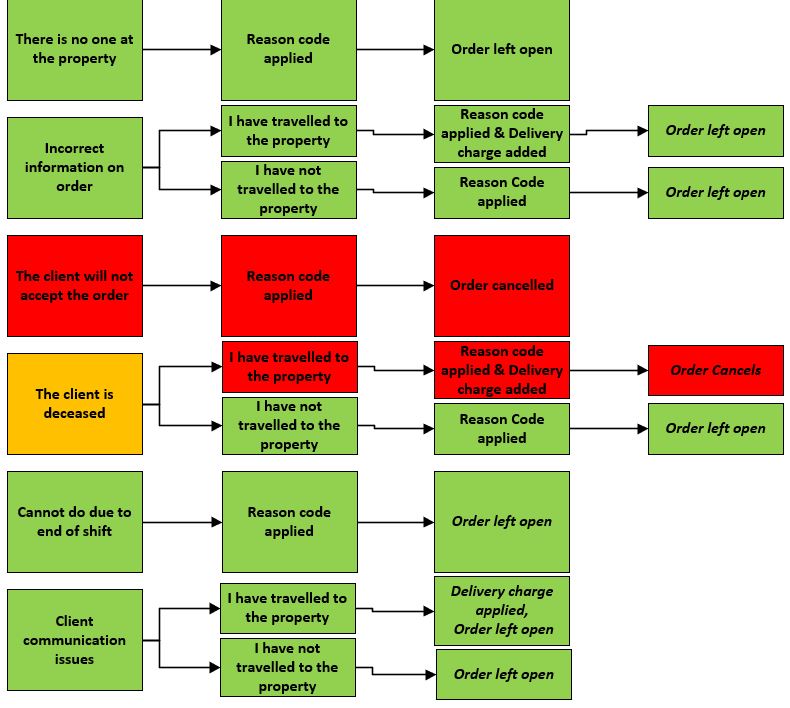
Throughout this document you will notice the flow charts are coloured in a traffic light system. If the reason codes are green, the order will be left open. Amber means there are multiple outcomes. Finally red means the order will be cancelled.
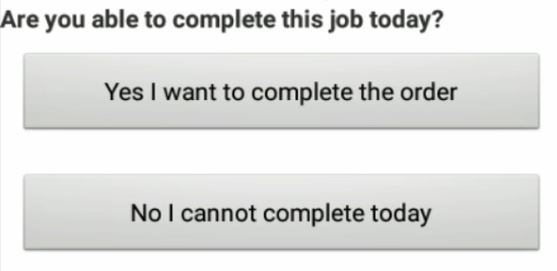
When completing any order you will be given the option Are you able to complete this job today?
Depending on which option is picked depends on what reason codes you will be present with.
Firstly we will work through the reason codes Yes i want to complete today > No I cannot repair the item > I cannot exchange
Once you have No I cannot exchange the item, you will given 2 reason codes as shown below.
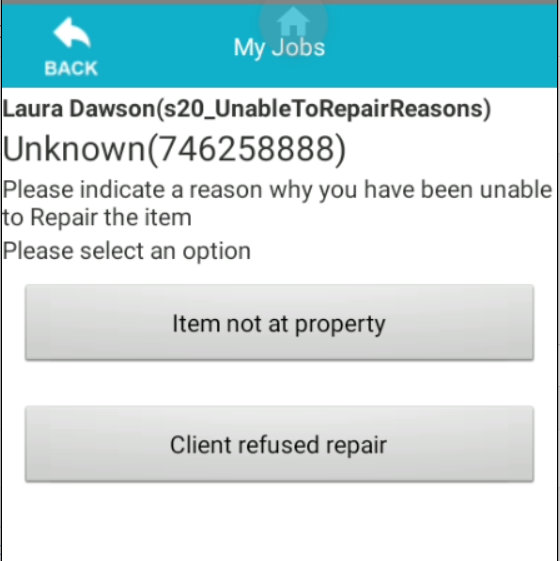
Here are the outcomes of all reason codes and what effects each one has on the repair of the item.
Now we will work through the reason codes when you select *No I cannot complete today
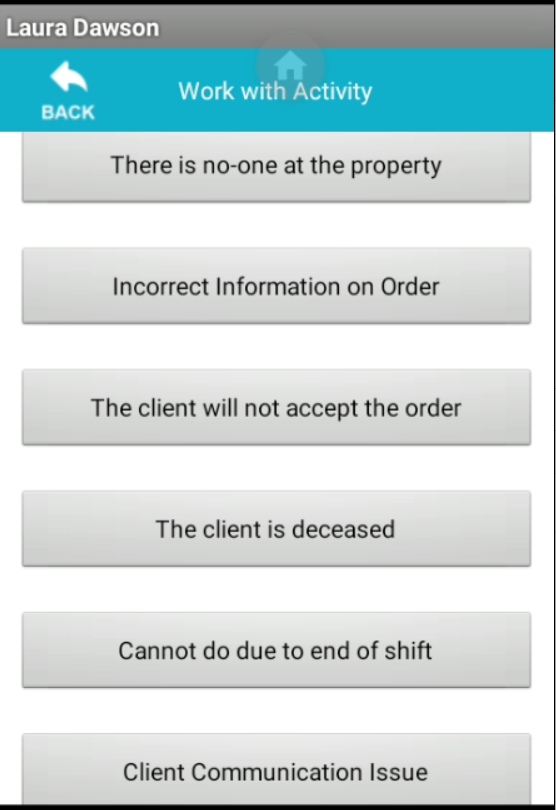
Here are the outcomes for all reason codes on this section of the scanner and also the outcomes.
Unable to see the image ?
if you are unable to see the image, please zoom in on your web page.
Updated about 7 years ago