
How to search across contracts
This manual will show you how you can search for a service user across multiple contracts.
As you work with multiple contracts now, you can search across contracts you are working with. This feature will speed up access to the service user record without the need to finding the Contract first.
You will no longer have to change your Location on the top right hand side of MQ Way
You will need to select if you are London or Non-London then add the relevant details for your search
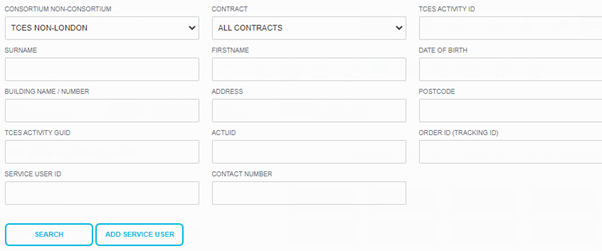
Retain Searching Service User
Any Service User you have searched on any contract will now remain in your ‘recently viewed service users’ this will show for any contract up to the last 10 users

Updated over 5 years ago