
COVID-19 Reason coding
How to reason code COVID-19 jobs via MedequipWay, this includes service user who have refused an order due to being symptomatic, self isolating or hesitant to allow a technician to gain access to there property.
This manual will show you the process on how to reason code any jobs outstanding on the system that may be affected by COVID-19.
When looking at a service users’ profile via MedequipWay. There is a reason code box, select reason code 5 Major event and click update. This will apply the reason code to the service users’ profile.
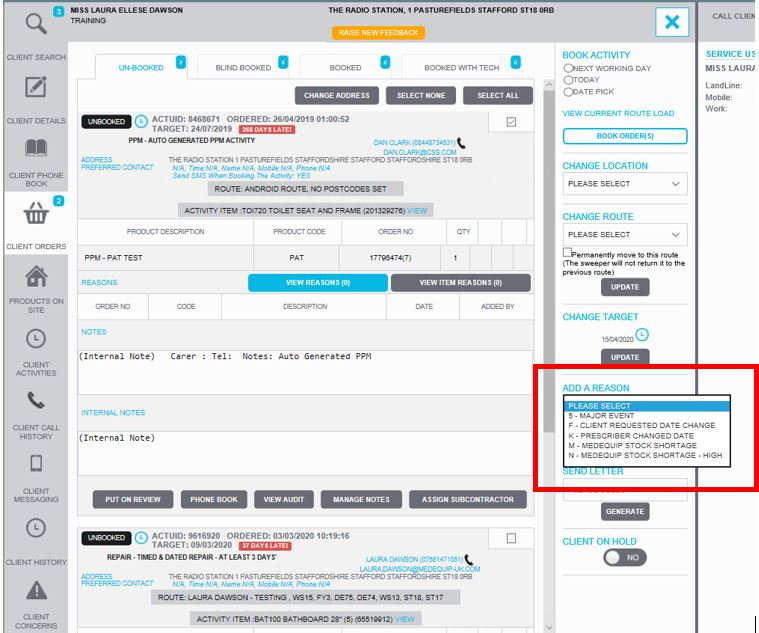
Once the reason code has been applied please update the order notes as to why this service user is not allowing access to the property. For example, Service user is self-isolating and is nervous letting technicians enter their property.
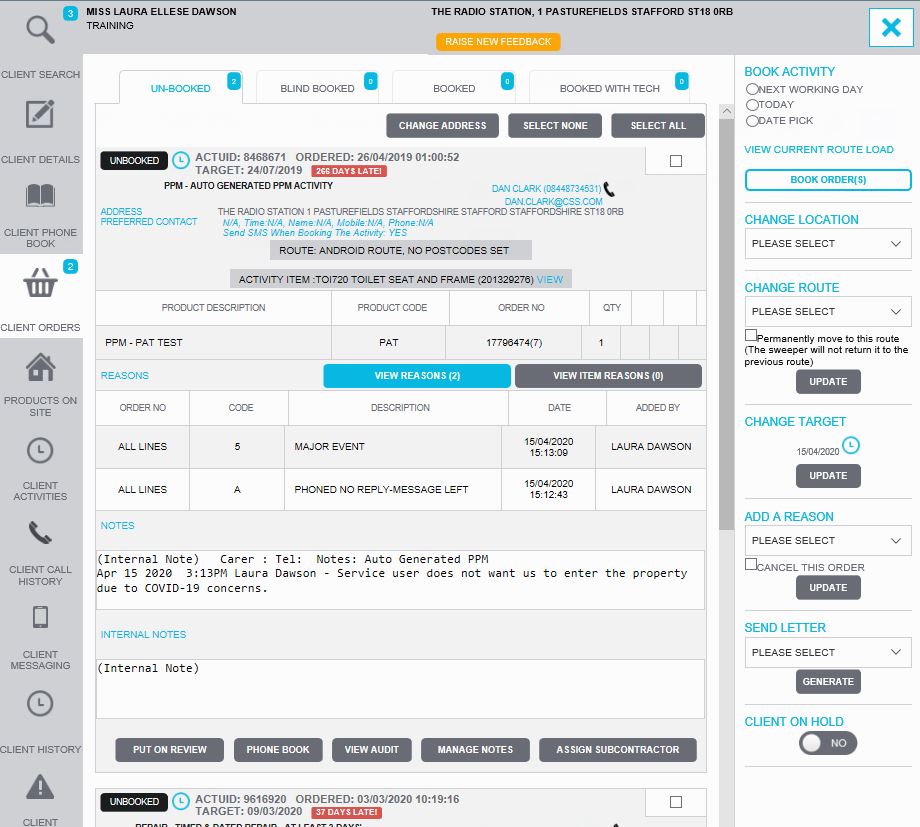
Once the order has been reason coded and the relevant notes have been added, this order can now continue with its chosen pathway.
Please note this reason code must be added to any COVID-19 job types.
Unable to see the reason code box ?
If you are unable to see the reason code box, please log onto livechat or email [email protected].
Updated about 6 years ago