
Product Recall
How to complete a product recall.
When there is a large recall we normally create reports on an adhoc basic, as it depends what you are using as the basis of the search, i.e. you may be looking for a particular PO, or a serial number. So, for a large recall or similar, just raise a ticket via [email protected]
For smaller issues, this is available via Medequip One, there is a page under the ‘Stock’ Menu called ‘Stock Lookup’. In that page, there are two drop down boxes. If you set the first dropdown as ‘Any Status’, then set the second drop down to the value that you want to filter on, i.e. PO number, Batch, serial number. You can see the status of any of the items meeting the criteria.
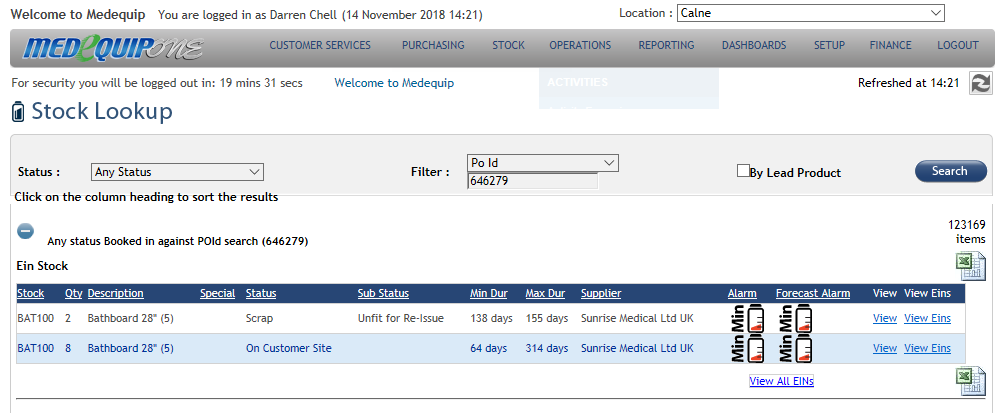
The screen shot above shows this screen working, I’ve searched for a POID for 10 bath boards, the page will let you drill down from this screen and see the actual location or order detail of each item on the PO.
If you require any further help in regard to this please log onto LiveChat
Updated over 7 years ago