
PPM Management Suite Process - New
This manual will explain how the new PPM management suite will effect your PPMs within your daily routes.
This new PPM process is only used when the PPM managed system is turned on for your contract within TCES. For this system to trigger the order must have 3x A reason codes applied or 1x B code applied to the order over different days before the system will trigger the process.
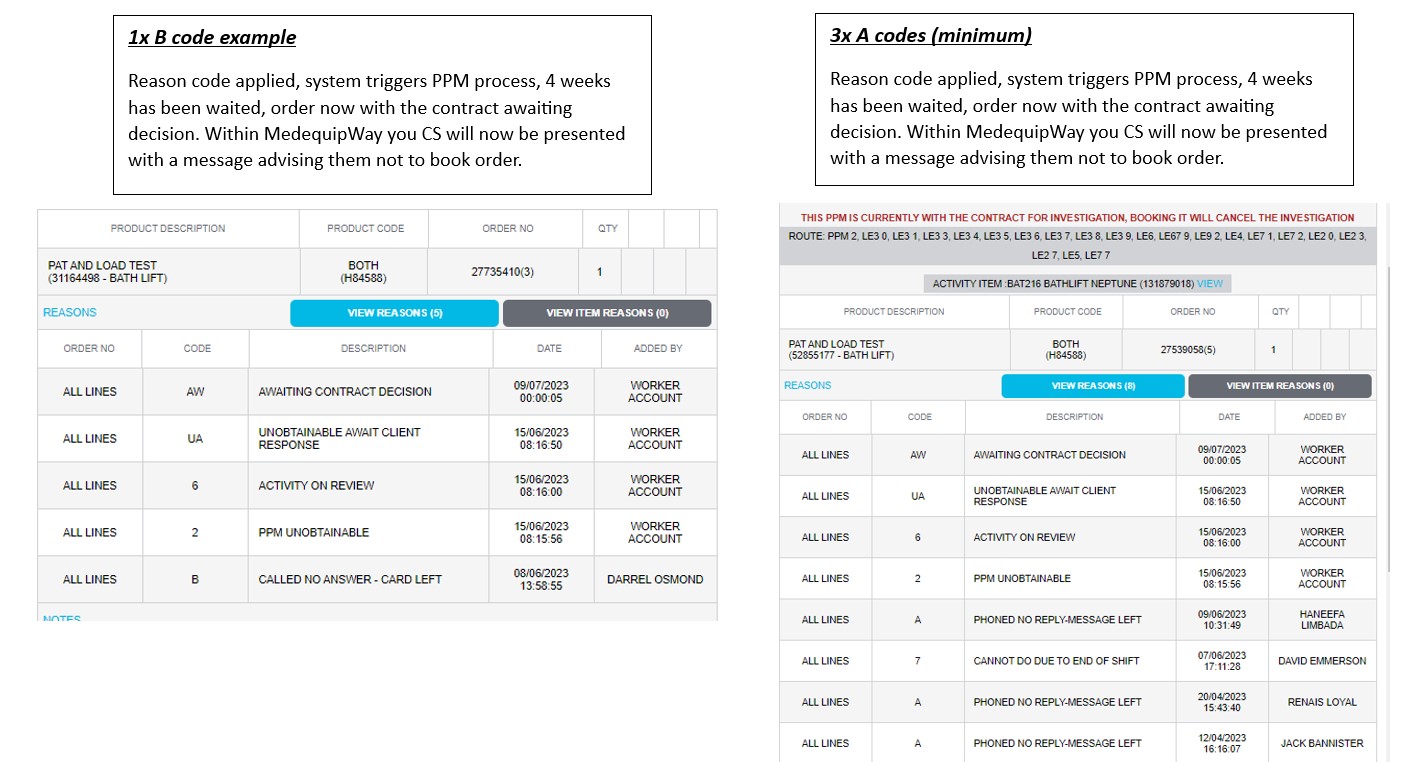
In this new process, once a PPM has had a letter created and sent to the service user. If we have still not heard anything further. This PPM will move across for the contract to decide on the next steps the PPM needs to take.
When looking at the PPM on MedequipWay, if this is currently with the contract you will notice a message in red "This PPM is currently with the contract for investigation, booking it will cancel the investigation.
PLEASE DO NOT BOOK, PLACE THE ORDER ON REVIEW OR WORK WTIH THE ORDER UNLESS YOU HAVE ACTUALLY GAINED CONTACT WITH THE SERVICE USER. THIS WILL REMOVE THE PPM FROM THE PPM MANAGEMENT SYSTEM.
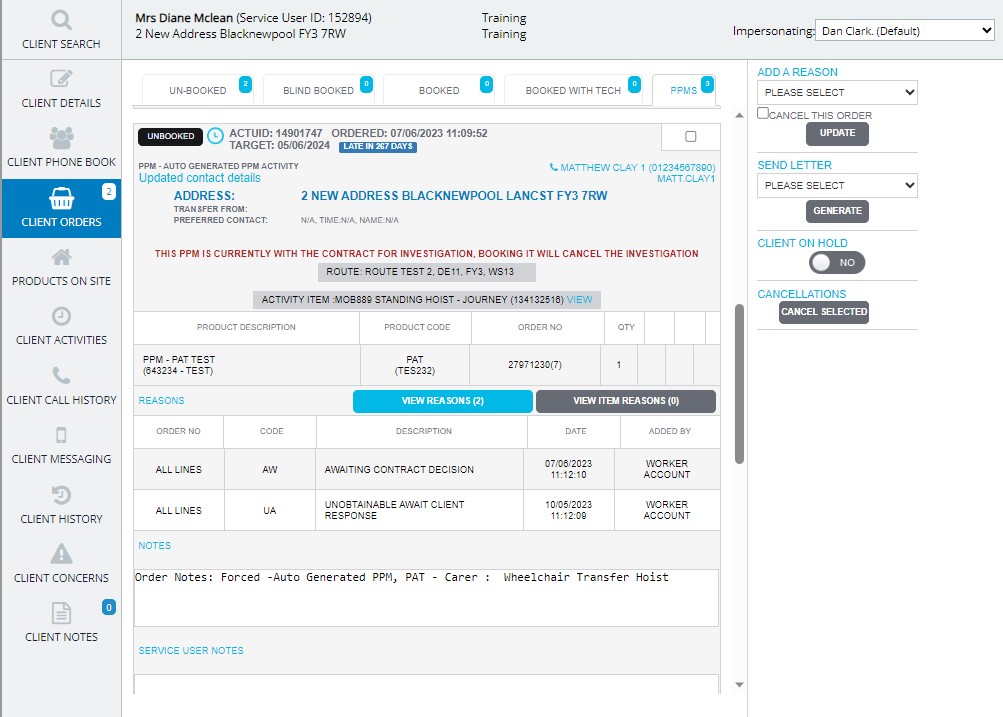
You will now notice when looking at the client orders screen in MedequipWay. There is a new tab "PPM" This will show all outstanding PPMs so you can ensure as many as possible are manifested to the selected driver when orders are booked in.
PPMS which are currently with the contract for further information will sit within the "PPM" section on the client orders screen. But it will not appear in the "Unbooked" section as we do not need to do anything further with this PPM for now. Please note this PPM will be hidden from your routes and KPIs while its with the contract. This will only re appear in the Unbooked section and within your routes when its been returned from the contract.
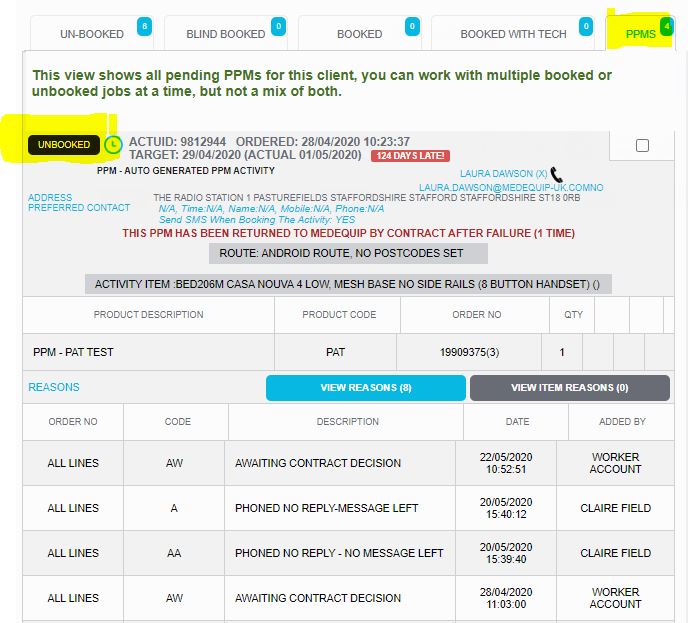
If your contract have updated the PPM record with new information such as a new contact number or address, this will be returned back to MQP to try again.
If a PPM has been returned from the contract, you will notice a new message in red will appear on the order stating "This PPM has been returned to MQP by the contract after failure (1 time)". This means we now need to try this PPM again and it will appear in the routes for booking and within the Unbooked section of the client order screen.
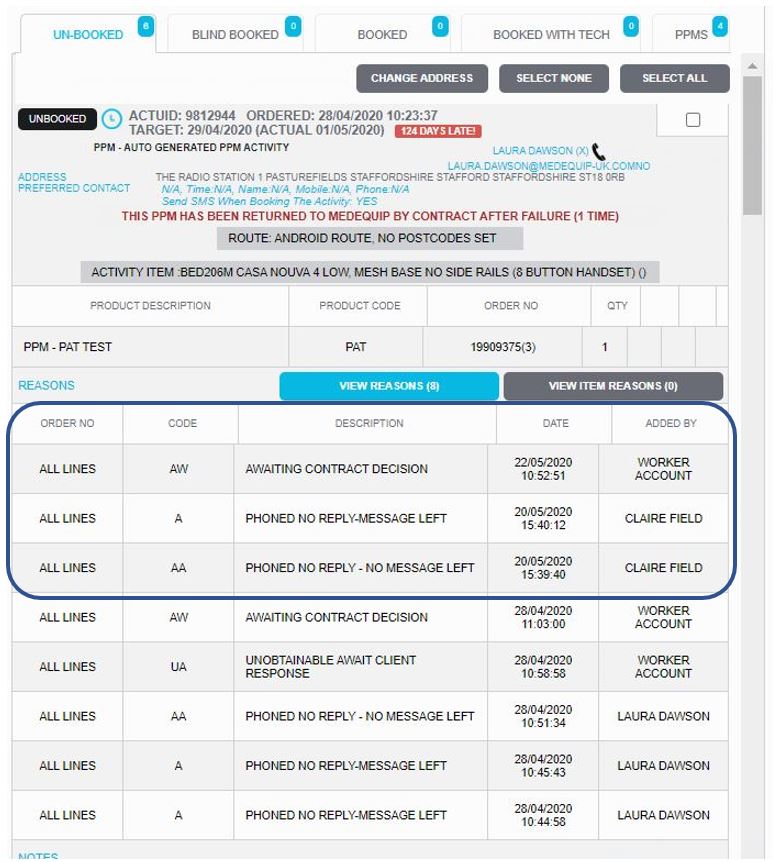
This PPM will then need to be attempted again following the same chain of events as before IE minimum 3x A codes 1x B code. But no second letter will be sent. If after a further 3 reason codes have been applied to the order and we are still not able to gain contact with the service user. This will again be returned to the contract.
Please note reason codes are added at different points throughout the PPM Process, see below screenshot.
The PPM can go back to the contract twice. If after two attempts, you are still unable to gain contact with the service user. On the second attempt to gain contact with the service user. The reason code "Unobtainable – Second attempt" will be applied. This means the PPMs has finished its journey with Medequip and will appear in the PPM unobtainable report with the new reason code for the contract to see.
If after the two attempts and the second attempt reason code has been applied and then the service user calls back. A new PPM will need to be forced using the product on site section within the system
.
System issues
If you are experiencing any issues with the system, please contact Livechat.
Updated over 2 years ago