
How to delete & edit a contact number
This manual will show you how to delete a service user’s contact number.
Within the phone book in the client records, you can either delete a number or the whole contact, you can also edit phone numbers where needed
On the right-hand where you can see Contact numbers, you can delete the Contact if this one is no longer valid for Service User. This will remove all lines in the contact field
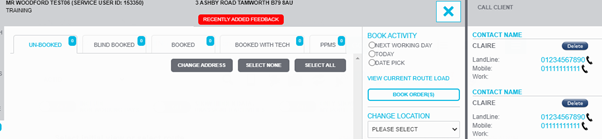
If you wish to delete one line of the contact only, click on ‘Phone Book’ tab on the left hand side

Click on the ‘Edit Button’ and remove the number you no longer need

Updated over 5 years ago